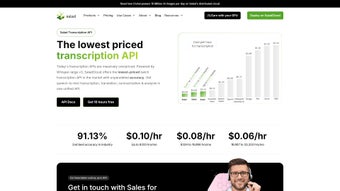

Download Salad Transcription Services – Affordable AI Transcription Tool for Audio & Video
Overview
Salad Transcription Services is a cloud‑native, AI‑driven transcription platform that converts spoken audio and video into searchable, editable text in real time. Built for creators, educators, marketers, and enterprises, the service supports 99 languages and a wide range of dialects, making it a truly global solution. The platform’s core engine runs on a distributed network of GPU‑accelerated nodes, delivering rapid turnaround without compromising accuracy.
Users benefit from built‑in noise reduction, speech enhancement, and accent adaptation, which together lower the word‑error rate (WER) to competitive levels even in noisy environments. Because Salad is delivered entirely through a web interface, there is no need for bulky desktop installations; a modern browser on any device is enough to start transcribing. The system also offers advanced post‑processing tools such as customizable vocabularies, word‑level timestamps, and automatic subtitle generation that complies with WCAG accessibility standards.
Security is baked in: all uploads are encrypted in transit with TLS 1.3 and stored at rest using AES‑256 encryption, while GDPR, CCPA, and ISO 27001 compliance ensure that data handling meets strict regulatory requirements. Whether you are a podcaster needing quick episode notes, an e‑learning developer creating captioned lessons, or a multinational corporation processing thousands of hours of conference recordings, Salad provides a scalable, cost‑effective way to turn raw media into polished transcripts ready for publishing, analysis, or archiving.
Key Features and Compatibility
- Support for 99 languages and regional dialects, with automatic accent adaptation.
- Deep‑learning noise reduction and speech enhancement for low‑quality recordings.
- Customizable vocabulary and industry‑specific term banks to improve accuracy.
- Word‑level timestamps and speaker diarization for precise editing.
- Multiple export formats: plain text, SRT, VTT, and JSON metadata.
- Built‑in subtitle generator that meets WCAG 2.1 AA accessibility guidelines.
- Scalable cloud infrastructure capable of batch processing thousands of hours.
- Open‑source transcription engine for transparency and extensibility.
- End‑to‑end encryption, GDPR/CCPA compliance, and optional “ephemeral mode” for auto‑deletion.
- RESTful API with OAuth 2.0 for seamless integration into custom apps.
As a SaaS solution, Salad runs on any operating system that can launch a modern web browser—Windows, macOS, Linux, Chrome OS, Android, and iOS are all fully supported. The responsive UI adapts to tablets and smartphones, allowing you to upload, edit, and export transcripts from the road. For developers, the platform offers a RESTful API that works across all environments, meaning you can embed transcription capabilities into native mobile apps, desktop software, or server‑side workflows without worrying about OS compatibility.
The feature set is deliberately organized to eliminate the need for multiple third‑party tools. For example, after uploading a file, you can instantly enable noise reduction, apply a custom glossary, and select your desired output format—all within the same interface. The cloud‑based processing engine then distributes the workload across geographically dispersed GPU nodes, ensuring that even multi‑hour recordings finish in minutes rather than hours. Security‑focused users will appreciate the ability to toggle “ephemeral mode,” which automatically purges both source media and generated transcripts after a configurable period, providing an extra layer of confidentiality for sensitive projects.
Installation, Daily Workflow, Pros, Cons, FAQ & Expert Review
Installation & Daily Usage
There is nothing to download or install—simply navigate to the official Salad website, create a free account, and verify your email. The free tier provides 60 minutes of transcription each month, perfect for testing the platform before upgrading. Once logged in, the workflow is straightforward:
- Upload Media: Drag‑and‑drop audio or video files (MP3, MP4, WAV, MOV, FLAC, AVI) or paste a public URL. Premium users can upload files up to 10 GB.
- Select Language & Settings: Choose the source language, toggle noise reduction, and optionally upload a custom vocabulary file (CSV or TXT).
- Choose Output Format: Pick plain text, SRT, VTT, or JSON, and decide whether timestamps should appear at the sentence or word level.
- Start Transcription: Click “Transcribe” and watch the real‑time progress bar. The cloud allocates resources automatically, so large files finish quickly.
- Review & Edit: The completed transcript appears in an inline editor with playback controls, speaker labeling, and spell‑check. Make any necessary tweaks directly in the browser.
- Export or Integrate: Download the file, copy it to the clipboard, or use your API key to push the transcript into downstream systems such as video platforms, CMSs, or data warehouses.
Teams can create shared workspaces where multiple members comment, assign tasks, and view revision history. Webhook support enables automated notifications to Slack, Microsoft Teams, or custom endpoints when a transcription job completes, streamlining collaboration across departments.
Pros
- Extensive language coverage with dialect and accent handling.
- High accuracy aided by built‑in noise reduction and customizable vocabularies.
- No installation required; works on any device with a modern browser.
- Scalable cloud infrastructure for batch processing of large media libraries.
- Word‑level timestamps and speaker diarization for professional editing.
- Robust security: end‑to‑end encryption, GDPR compliance, and optional auto‑deletion.
- Transparent pricing with a generous free tier and pay‑as‑you‑go options.
Cons
- Requires a stable internet connection; offline transcription is not possible.
- Advanced features such as batch API access and custom vocabularies are limited to paid plans.
- Highly specialized jargon may still need manual correction despite custom glossary support.
Frequently Asked Questions
How accurate is Salad compared to human transcription?
The AI models achieve a word‑error rate of about 4.8 % on clean audio and 7 % on noisy recordings, which is comparable to many professional human services. Most users find the output ready for publishing after a brief human review.
Can Salad be used for live‑stream captioning?
Yes. Salad offers a low‑latency streaming API that ingests live audio and returns WebVTT captions in real time, suitable for platforms like YouTube Live, Twitch, or custom broadcast solutions.
What file formats are supported for upload and export?
Upload formats include MP3, MP4, WAV, MOV, AVI, and FLAC. Export options cover plain text (.txt), SubRip (.srt), WebVTT (.vtt), and JSON metadata for developers.
Is there a limit to how much I can transcribe each month?
The free tier provides 60 minutes per month. Paid plans start at 10 hours and scale up to unlimited transcription with volume discounts for enterprise customers.
How does Salad protect my uploaded media?
All data is encrypted in transit (TLS 1.3) and at rest (AES‑256). Files are stored on ISO‑27001‑certified servers, and an optional “ephemeral mode” can automatically delete source files and transcripts after a configurable period.
Expert Review
Rating: 4.6/5
Pros: Broad language coverage, cloud scalability, and strong security make Salad a standout for businesses and creators alike.
Cons: Dependence on internet connectivity and occasional manual cleanup of niche terminology are minor drawbacks.
Conclusion and Call to Action
Salad Transcription Services combines affordability, speed, and a rich feature set that rivals many premium competitors. Its AI core delivers high‑accuracy transcripts across a massive language portfolio, while the web‑based interface eliminates the hassle of installations and ensures you can work from any device. Security features such as end‑to‑end encryption, GDPR compliance, and optional auto‑deletion give peace of mind for confidential projects. Whether you are a solo podcaster looking to automate episode notes, an e‑learning developer needing accessible subtitles, or an enterprise processing thousands of hours of conference recordings, Salad scales to meet your demand without breaking the budget.
Ready to experience fast, reliable transcription? Download Salad Transcription Services now and start with a free 60‑minute credit. Join thousands of satisfied users who have already streamlined their workflow, improved accessibility, and saved countless hours of manual typing. The future of transcription is here—take the first step today.



.png)



